 Keycap Lab Blog
Keyboard ASMR App for iPhone: Real Switch Sounds in Your Pocket
Mechanical keyboard sound videos are a genre of their own. People watch builders press freshly lubed switches for ten minutes straight, and the comments are full of "this is so satisfying." If you like that sound but don't own a mechanical keyboard — or you want it on the couch, in bed or on a train — the obvious next step is a keyboard ASMR app on your iPhone.
The App Store has plenty of "typing sound" and "clicker" apps, and they are not all the same. This guide covers what actually makes one feel good to use, and how we approached it in Keycap Lab.
Why keyboard sounds are satisfying
ASMR (autonomous sensory meridian response) is the name people use for the calm, sometimes tingly feeling certain sounds give them. Not everyone experiences it, and research on it is still limited, so it's best not to treat it as anything more than a personal preference. But a few things about keyboard sounds help explain why they work for so many people:
- They're short and predictable. Each press is a small, complete event. There's no melody to follow and no surprise loudness.
- They're caused by you. Watching a video is passive. Pressing something and hearing it respond closes a loop — your finger does something, the world answers.
- They have texture. A good switch isn't a single click. There's the stem bottoming out, the keycap resonating, the spring returning. That detail is what separates a nice "thock" from a cheap beep.
What to look for in a keyboard ASMR app
1. Real recordings, not one synthesized click
The biggest difference between apps is the source of the sound. Many use a single synthesized click, or one sample replayed for every key. After a minute it starts to sound like a metronome. Recordings from real keyboards keep the small irregularities — slightly different attack, a bit of case resonance — that make each press feel physical.
If the app names the switches it recorded, that's a good sign someone cared. If you want to understand why a Cherry MX Blue sounds nothing like a Cherry MX Brown, read our guide on thocky vs clacky keyboards.
2. Haptics that match the sound
The iPhone's Taptic Engine can make a tap feel crisp or soft. When the vibration lines up with the sound, your brain reads it as one event and the press feels "real." When it doesn't — or when there's no haptic at all — the sound feels like it's coming from somewhere else.
3. More than one way to press
A real keyboard isn't just single taps. You roll across keys, you hit two at once, you rest a finger on one. An app that only supports single taps gets repetitive. Look for multi-touch and swiping, so you can drum across a row of keys the way you would on a desk.
4. No ads in the middle of the calm
This is the one that ruins most clicker apps. You open it to unwind, and thirty seconds later a full-screen video ad plays at full volume. If the whole point is a quiet moment, ads defeat it.
5. Works offline, no account
You'll most likely reach for this app on a plane, in the subway, or in bed with Wi-Fi off. It should just open and work. There's also no reason a sound toy needs your email address.
How Keycap Lab does it
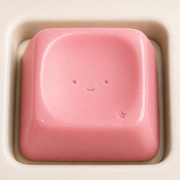
Keycap Lab is a small desk of soft 3D keycaps that you press, swipe across and multi-press. Every press plays a real mechanical-keyboard recording for that keycap's material, together with haptics and a small visual effect.
- 18 materials, each with its own sound. Cream, Bubble, Candy, Mech, Glass, Dome, Wood, Jelly, Ice, Ceramic, Honey, Ruby, Felt, Slate, Ember, Frost, Volt and Neon. Ember adds a little flame on every press, Frost spreads frost crystals, Volt throws a spark of lightning, and Neon — a dark cap with a pink neon tube — flickers on and lights up in a new color every press (pink, cyan, lime, purple).
- Known switches for some materials. Ice is a Cherry MX Blue (clicky), Candy is a Cherry MX Clear, Glass is a Hako Violet, Felt is a Gateron Brown low-profile from a Keychron K7 Pro, and Slate is a Cherry MX Brown.
- 38 hidden reactions. Tap the same cap fast five times, hold one down, swipe across a row, or press several at once — some combinations trigger something special. Everything you find is saved to a collection you can replay.
- Your own pad. Fill the 3×3 grid with any nine materials and share it as an image card.
- Free, no ads, no account, works offline. Your pad and discoveries stay on your device. It runs on iPhone and iPad, and supports VoiceOver.
You can hear a few of the materials in this short:
Tips for a better listening session
- Use headphones or earbuds. Phone speakers cut most of the low end, and the low end is where "thock" lives. Even basic earbuds make a big difference.
- Turn haptics up. If your phone is in silent mode, haptics still give you some of the feel.
- Mix materials. Put a deep material next to a bright one — say Slate next to Glass — and roll your fingers across them. The contrast is half the fun.
- Keep it short. A few minutes between tasks is usually enough to reset. It works best as a pause, not a place to spend an hour.
A keyboard sound app vs. a real mechanical keyboard
An app won't replace a real keyboard. You don't get the key travel, the weight of the case or the feel of a tactile bump under your finger. What you do get is the sound and a convincing tap in your pocket — useful when you're away from your desk, or when you're curious what a clicky switch sounds like before buying one.
If you're thinking about building or buying a keyboard, pressing a few different recorded switches is a surprisingly good way to figure out whether you prefer clicky, tactile or something softer.